Getting Started
1. First, go to https://chatbot.dickinson.edu.
2. Select the language that you are learning, and pick the chatbot that your professor assigned.
3. Either type a message or speak to the chatbot verbally to communicate with the chatbot.
4. In order to listen to a message from the chatbot, click the speaker icon on its right.
Speaking to the Chatbot
1. Click the button with the microphone icon.
2. Click Allow when the website asks for the permission to use your microphone.
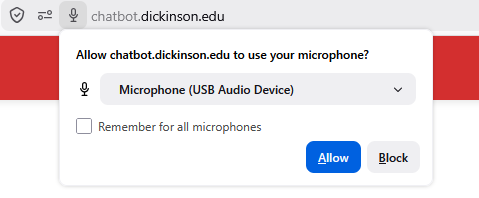
3. Click the button with a black circle after you finished speaking, then click the Send Audio button to send your recording to the chatbot.
Submitting Your Transcript to the Professor
1. Click the Email Transcript button after you finished the conversation.
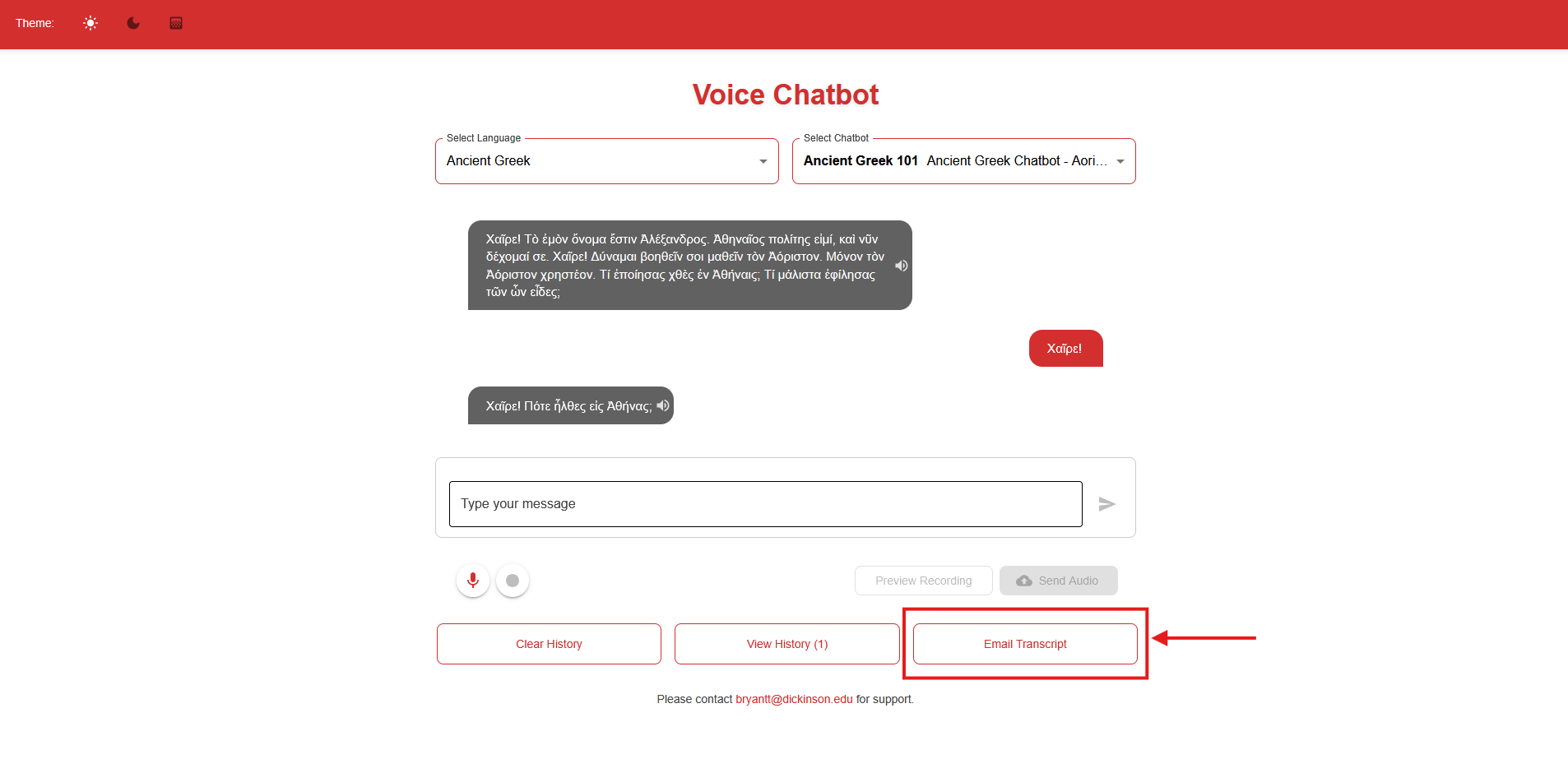
2. Fill out the form with Your Name, Your Email, Instructor’s Name, and Instructor’s Email.
3. Click the Send Email button.
Contact Todd at bryantt@dickinson.edu with any questions and to get started.