
The Panasonic HC-V770 is a versatile camcorder ideal for capturing smooth, high-quality video for class projects, interviews, or creative assignments. You might choose the HC-V770 when you need full HD recording, built-in image stabilization, and a powerful zoom, along with flexibility for external microphones and easy playback. It’s great for students or instructors who want professional-looking results without complicated setup.
This tutorial will help you get started with the Panasonic HC-V770. Follow the steps below to learn how to set up, record, and manage your video projects.
1. Turning the Camera On
- Make sure the battery is charged and an SD card is inserted in the slot on the bottom of the camera near the battery
- Press the Power button located on the side to turn on the camcorder
2. Checking the File Output Type
The camcorder allows you to select your desired recording format before you start recording. The camcorder may be set to record as an .mp4 file. This is fine as long as what you’re recording is less than 30 minutes.
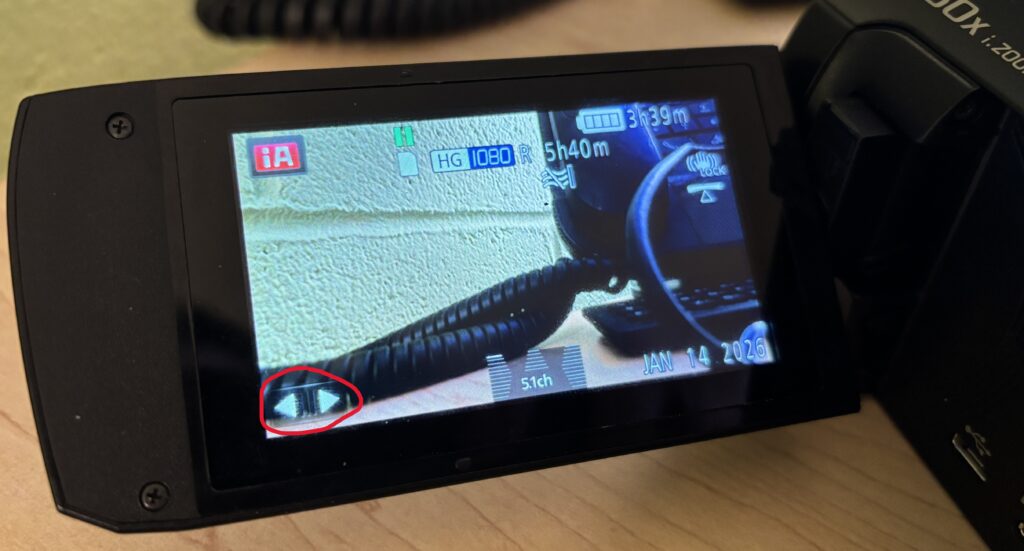
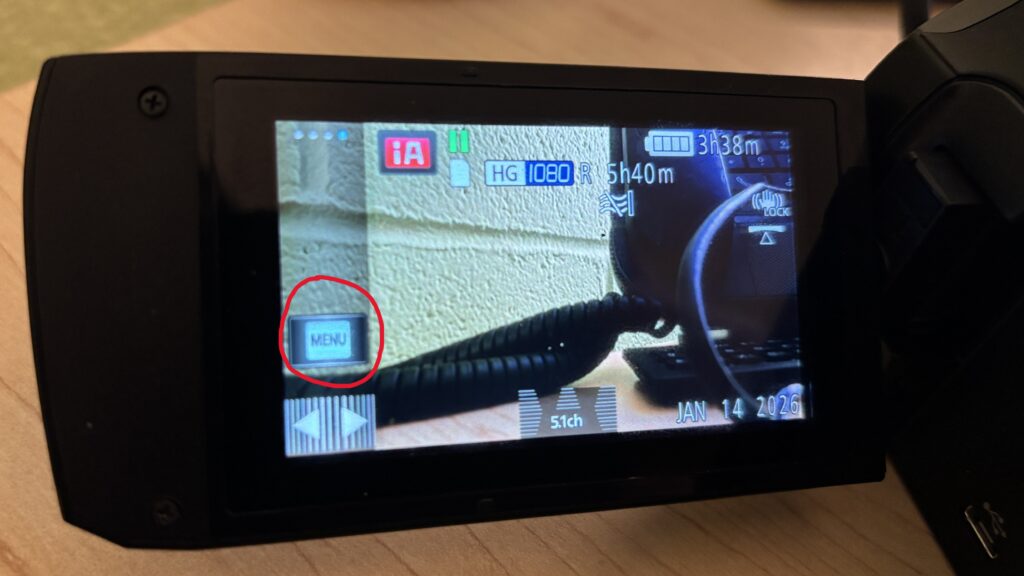
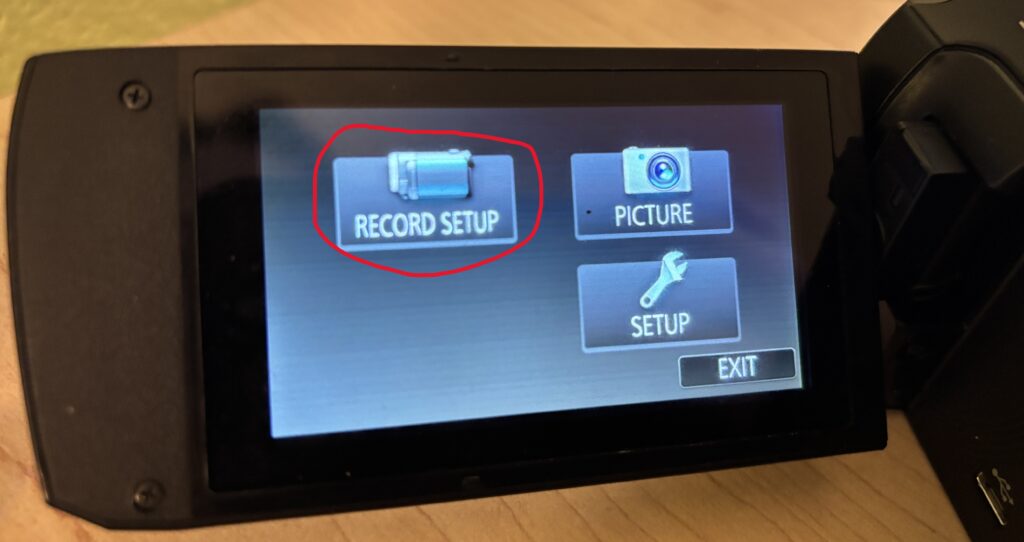
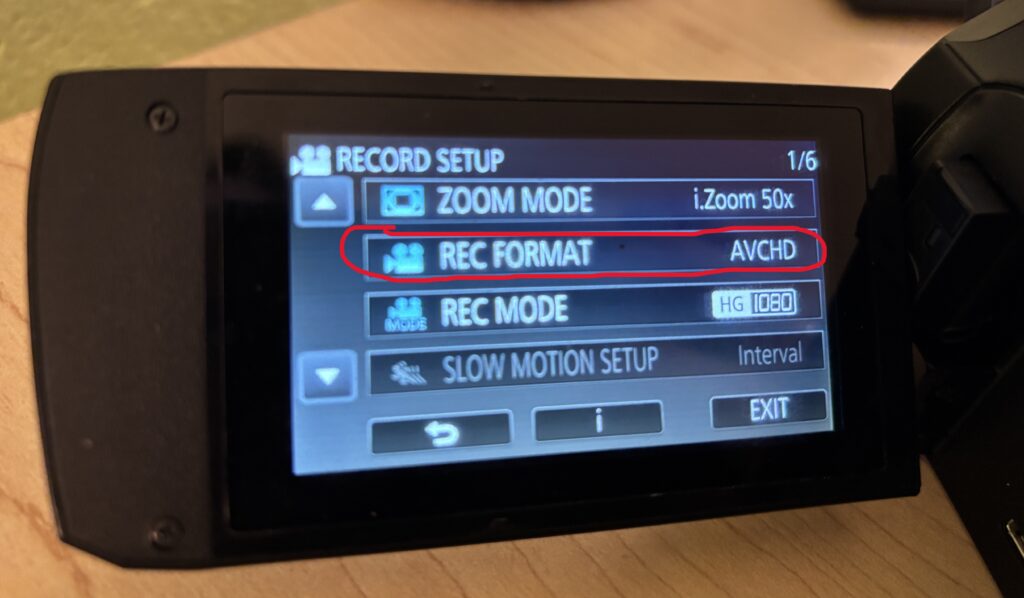
Planning to record something longer than 30 minutes? You’ll want to change the format to AVCHD so that your recording isn’t broken up into multiple files. To do so:
- Press the Two arrows on the touch screen
- Press Menu
- Choose Record Setup
- Select Rec Format and choose AVCHD
3. Recording Video
- Press the red Record button to start
- Press the button again to stop recording
Stay steady while recording, and try to avoid sudden movements for smooth footage.
4. Capturing Audio
- Connect an external microphone if higher-quality audio is needed
- Adjust audio levels in the menu
5. Playback and Reviewing Footage
- Press the Playback button on the side of the camera
- Use the LCD to review your clips
- Scroll through footage with the arrow buttons
6. Transferring Files
- Remove the SD card and insert it into a computer via an SD card reader
- Transfer and organize your files for editing or sharing
Using Headphones to Monitor Audio
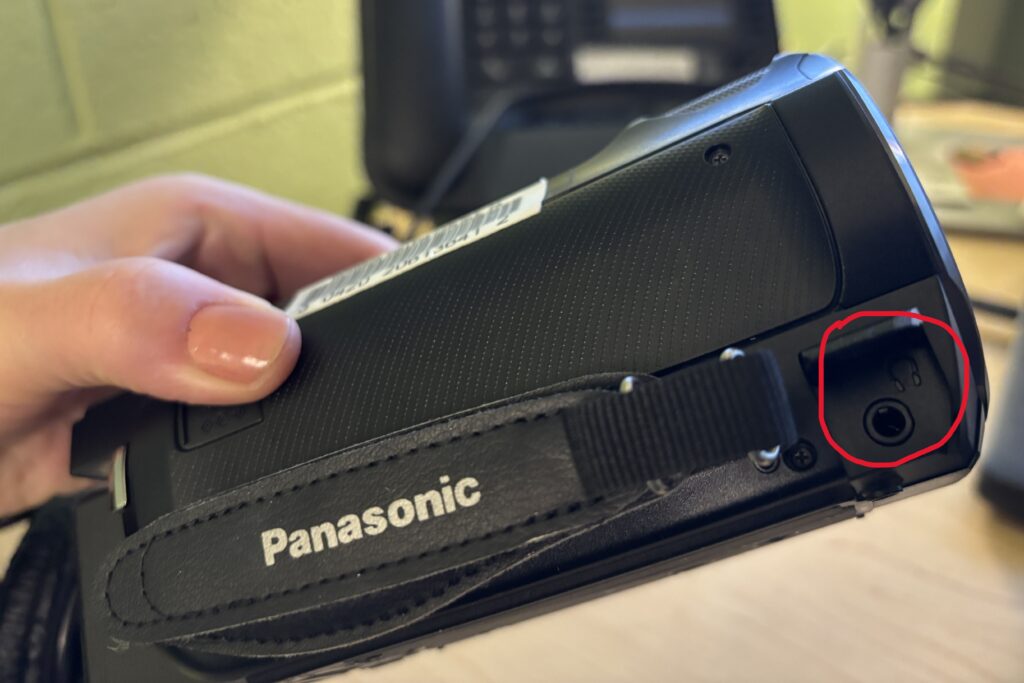
Unlike some of our other camcorders, the Panasonic HC-V770 has a separate port for headphones located in front of the hand strap as seen in the photo below. Make sure you plug the headphones into this port and NOT the AV port.
Helpful Tips
- Use a tripod for long or complex shots to avoid shaky video
- Keep the lens clean for the clearest image
- Record a few seconds of extra footage before and after your main shot (for easier editing)
- Always double-check SD card space before starting a project
- Test external microphones before recording critical audio
- Avoid over-zooming while handheld to maintain stability
You’re Ready to Record
The Panasonic HC-V770 makes it easy to capture polished, high-quality video. Start with simple shots, explore zoom and stabilization features, and gradually add external audio for professional results. With practice, your projects will look and sound great.